Car screens

What the car is and what it is doing at its outside: its identity from the VIN, every door and lamp, the tyres and the climate system.

Vehicle Admin screen

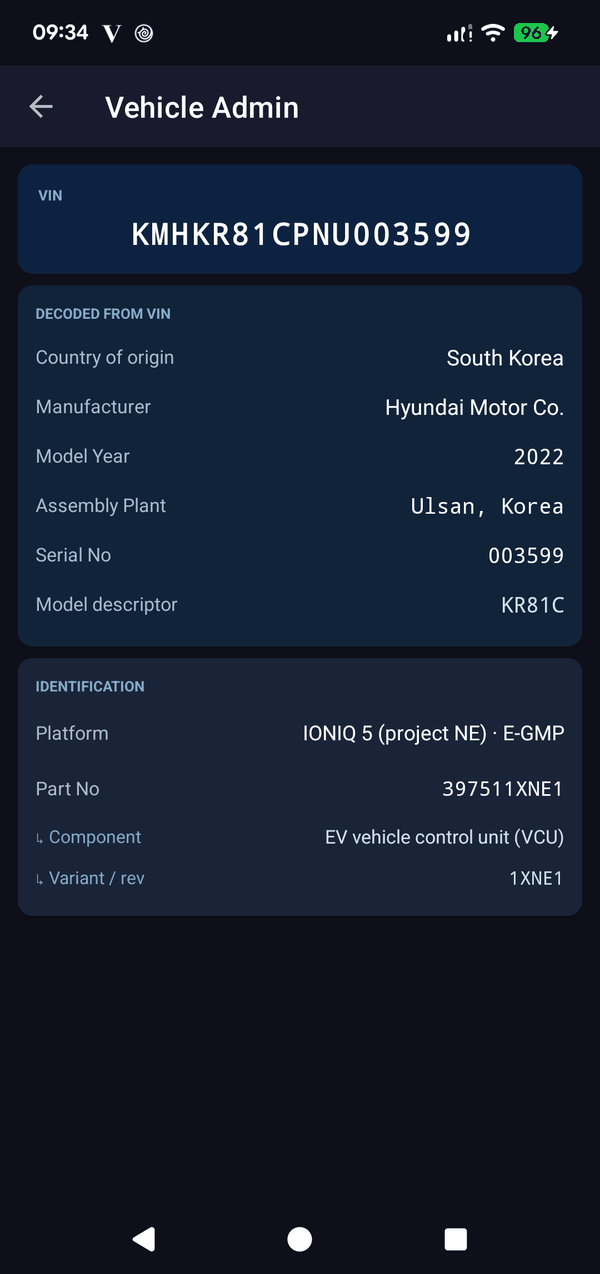
Vehicle Admin

Who your car really is. The app reads your VIN straight from the vehicle and then decodes it: country of origin, manufacturer, model year, the assembly plant that built it, its serial number and the model descriptor. Below that it reads the vehicle’s part number and breaks it into component, model and variant.

Useful when you are buying a used IONIQ 5 and want the car’s own account of itself rather than the seller’s, when you need the exact build details for a parts enquiry, or simply because it is genuinely interesting to learn that your car was built in Ulsan.

Read-only, always. Like every screen in this app, this one only listens. It does not lock, unlock, open or command anything.
VIN, decoded Plant & model year Part number breakdown
Vehicle data on the car screen
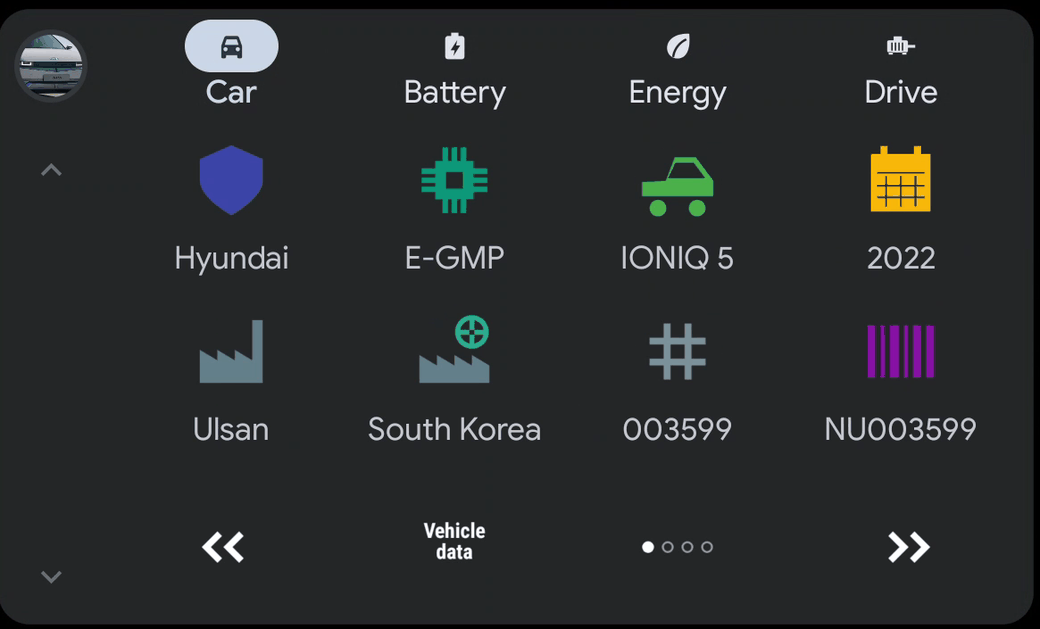
On the car screenVehicle data. What the car is — brand, platform, model and model year — and where it was built: the plant’s town, the country (a factory with a globe), the serial number and the VIN. Free, on the phone and on the car.
Doors and Lights screen

Doors & Lights

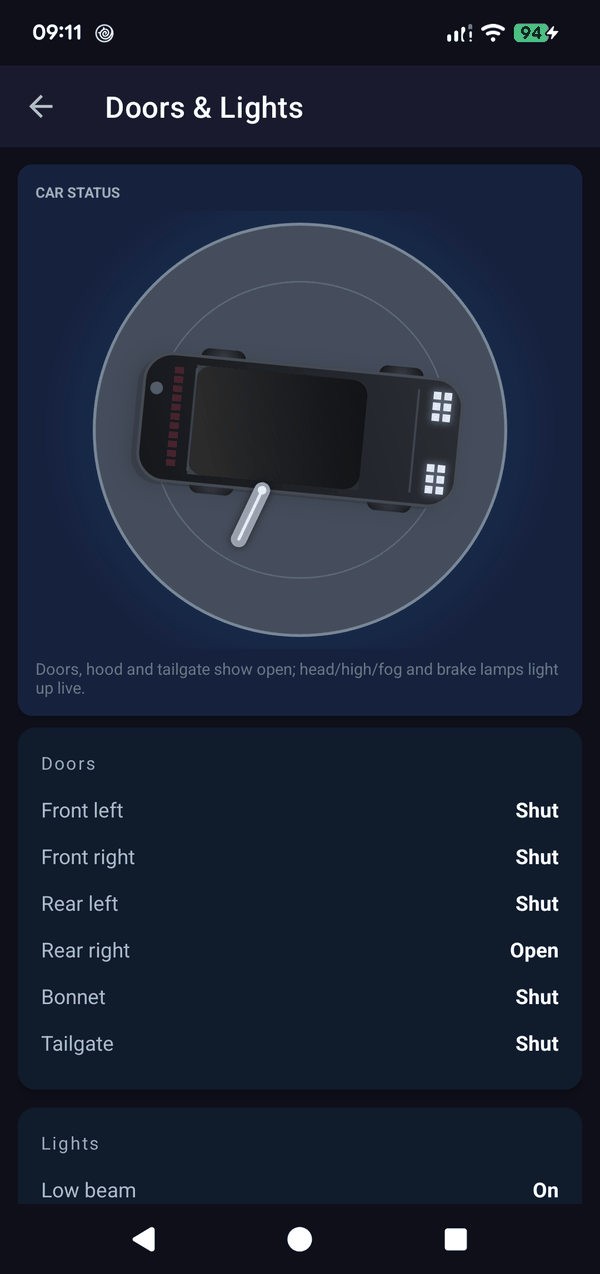
A picture of your car, drawn live. The top-down diagram shows the car as it actually is at this moment: doors, bonnet and tailgate swing open on screen as they open in the world, and the low beam, high beam and brake lamps light up as they light up on the car. Walk round the IONIQ 5 with the phone in your hand and the drawing follows you.

It is the fastest way to answer the questions that otherwise mean walking back out to the car: did I actually shut the boot? Is a door still ajar? Because it reads the body computer directly rather than a summary, it will show you a door that the car itself believes is open — exactly the sort of thing that quietly flattens a 12V battery overnight.

Live top-down drawing Every door separately Beams & brake lights
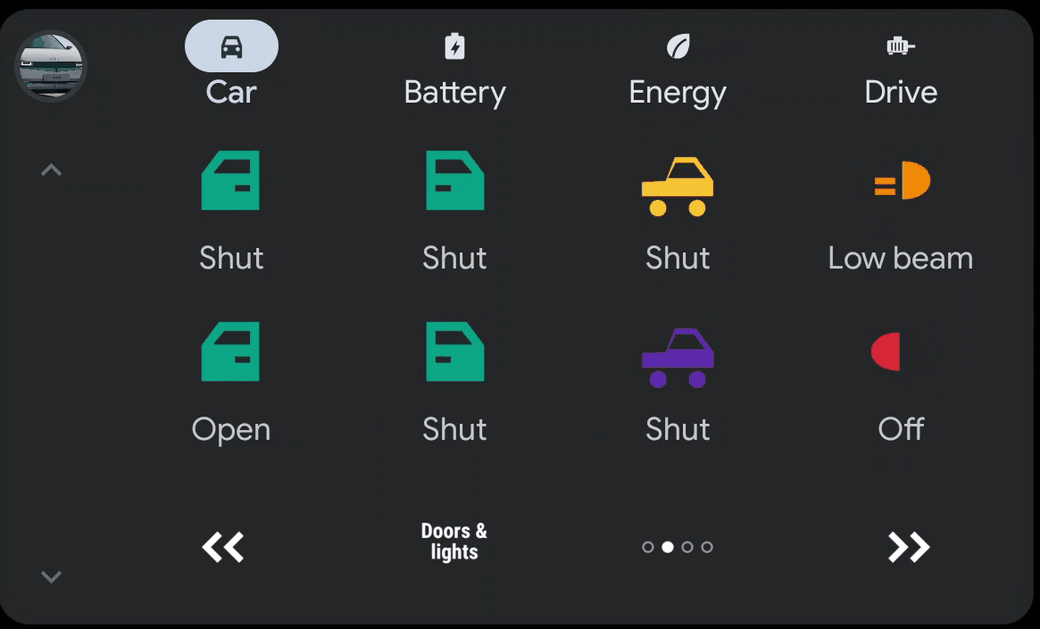
Doors and lights on the car screen
On the car screenDoors & lights. Every door on its own, with the bonnet and the tailgate beside them. The headlamps are one reading — off, low beam or high beam, main beam drawn blue like the tell-tale in the cluster — and the brake lights sit next to it. Free, like the phone screen.
Tyres screen

Tyres

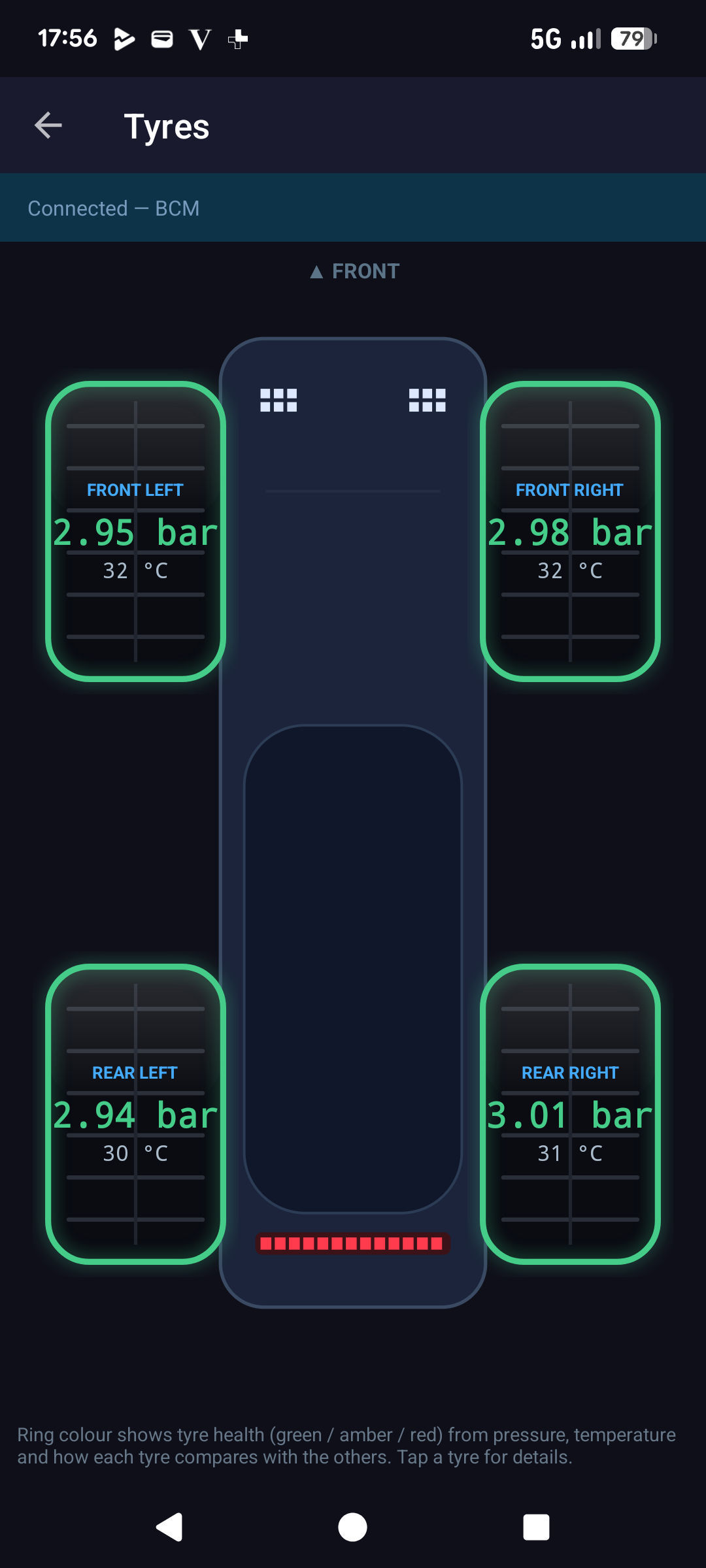
The IONIQ 5's factory Tyre Pressure Monitoring System (TPMS) tracks every wheel. This screen lays the four tyres out on a top-down picture of the car and shows each wheel's pressure and temperature in its real position, so you immediately know which corner needs attention.

The health rings

Each tyre is wrapped in a coloured ring that acts as a mini dial: green is fine, amber means keep an eye on it and red means attention. The colour is judged from pressure, temperature and how each wheel compares with the other three, so an odd one out stands out even if every tyre is technically "in range".

Tap any wheel for the detailed figures, and switch the whole screen between bar and PSI with a single tap. A typical IONIQ 5 cold pressure is around 2.5 bar (36 PSI). Tyre temperature is shown per wheel too, useful for spotting a dragging brake or alignment problem.

Per-wheel health rings Pressure & temperature bar / PSI toggle
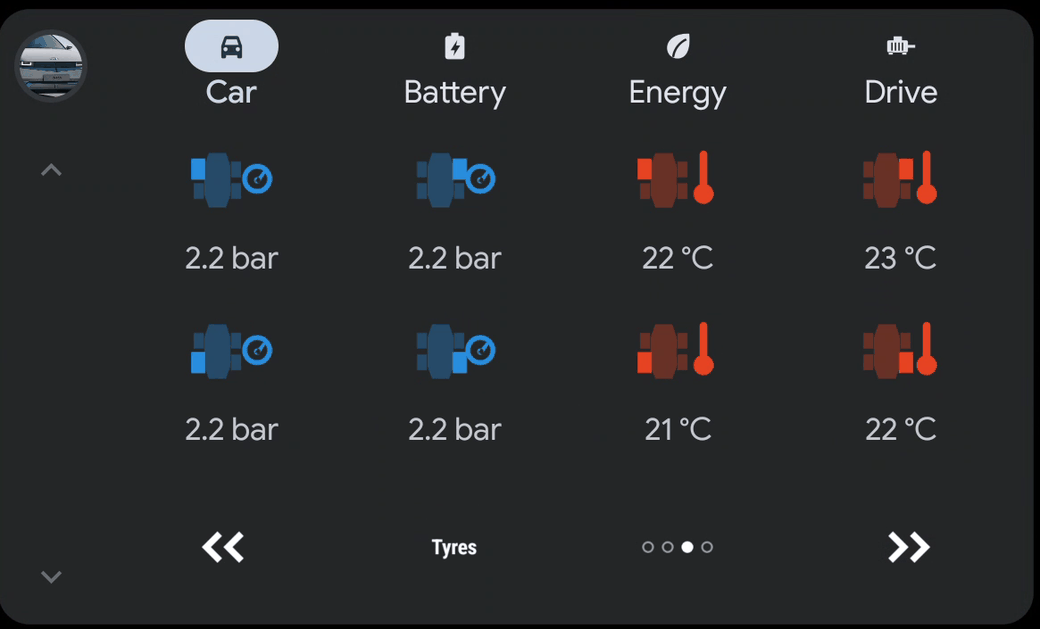
Tyres on the car screen
On the car screenTyres. Front axle on the top row, rear axle below. Pressures on the left in blue, temperatures on the right in red — each icon shows which wheel it is, with a gauge or a thermometer beside it.
Climate screen

Climate

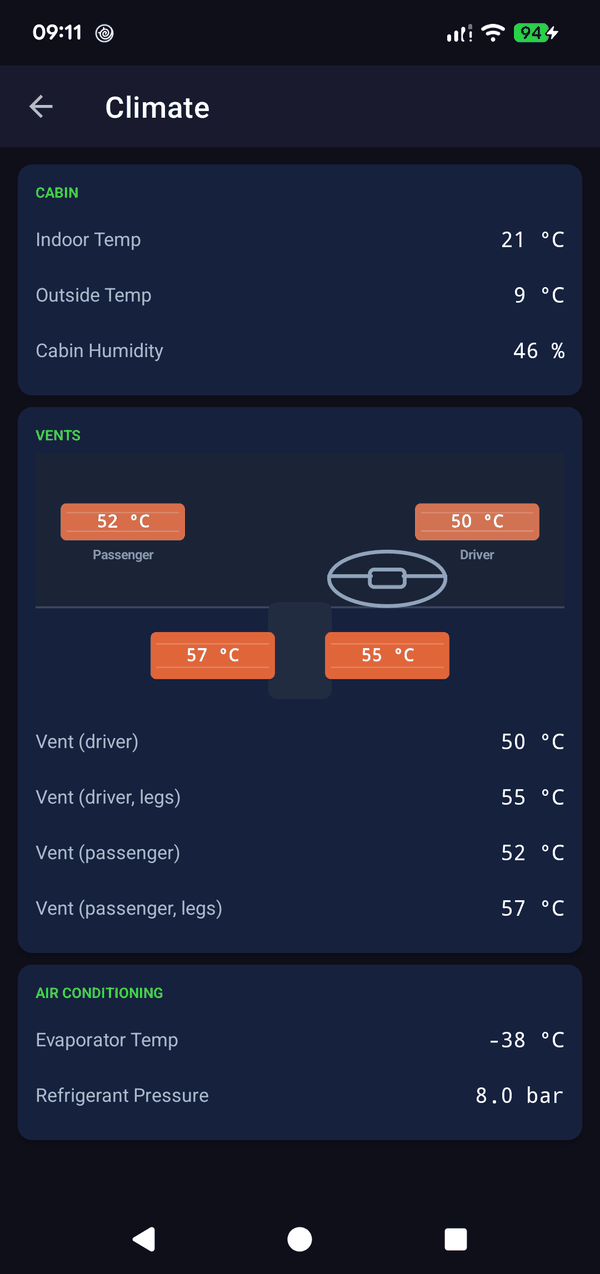
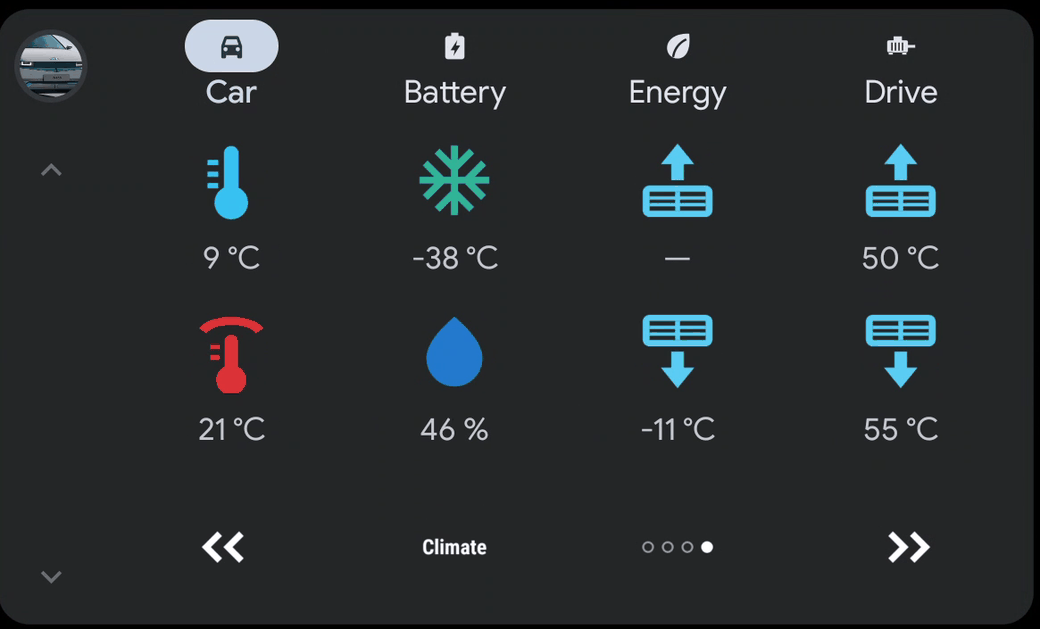
The air-conditioning, honestly. Indoor Temp is the cabin sensor and Outside Temp the one the car shows on its own display. Cabin humidity sits beside them — the figure the car itself uses to decide when to dry the windscreen.

The vent temperatures are the interesting part: the air as it actually leaves the dashboard and the footwell, for the driver and the passenger separately. With the heating on, the footwell is usually the warmest outlet; with the A/C cooling, the vents sit a few degrees above the evaporator because the cold air warms slightly on its way through the ducts.

Evaporator Temp is the single best answer to “is the A/C actually cooling?”, since it drops sharply the moment the compressor engages, and Refrigerant Pressure is the low-pressure side: it reads lower while the compressor runs and sits high and steady when the system is idle.

Cabin, outside & humidity Vent air per seat Evaporator & pressure
Climate on the car screen
On the car screenClimate. Outside and cabin temperature, the evaporator and the humidity, and the air actually leaving the vents: face and footwell, driver and passenger. On a right-hand-drive car the two vent columns swap, so the driver’s vents stay on the driver’s side.